Account Details
Card Not Present › Merchant Backoffice › Account Details
Account summary, charges breakdown, transaction history, and downloadable reports — per terminal
Account Details is organised into four tabs. Navigate to it via the left-hand menu. Most views require you to first select a Terminal ID to see data for that specific processing terminal.
Account Summary
A terminal-wise overview of your account position. Search by Terminal ID.
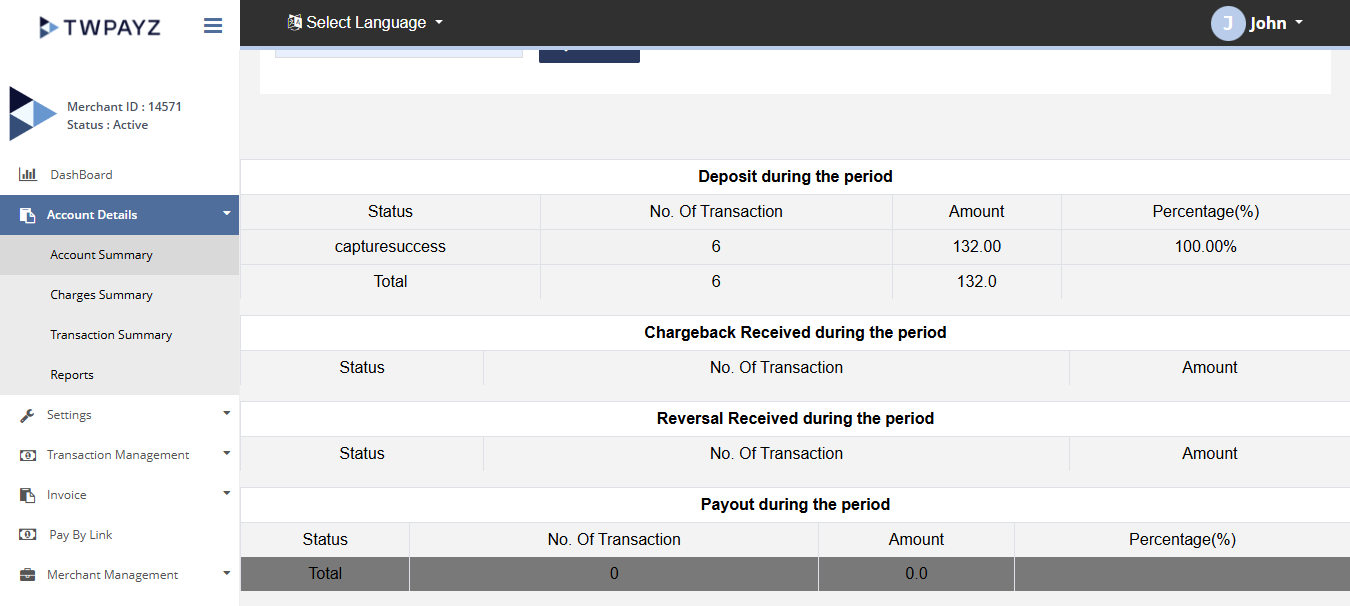
| Section | What it shows |
|---|---|
| Merchant Details | Your registered business name, address, and contact details as held on the system |
| Charges Details | Summary of fees applied to this terminal over the selected period |
| Generated Reserve Details | Rolling reserve amount currently being held from your settlements |
| Refunded Reserve Details | Reserve amounts returned to you to date |
| Summary | Net position: total processed, total fees, total reserve held, net available for settlement |
Charges Summary
A complete breakdown of every fee type applied to a specific terminal. Search by Terminal ID.
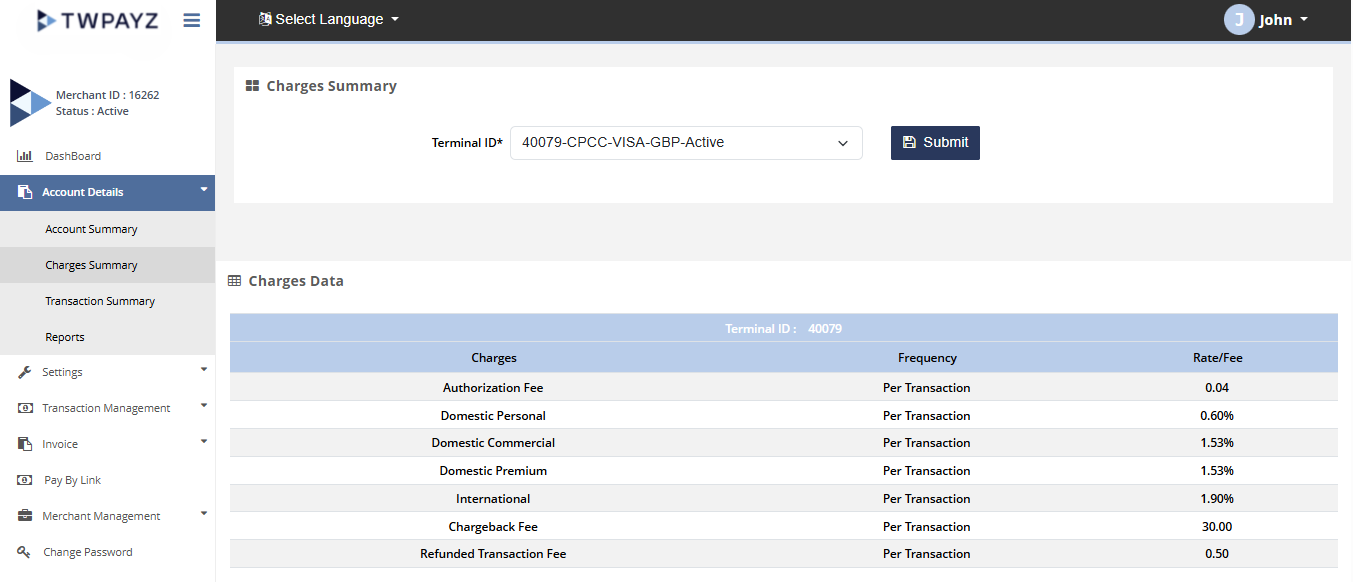
| Fee type | What it means |
|---|---|
| MDR % | Merchant Discount Rate — the percentage of each approved transaction charged as a processing fee. Your agreed rate as per your contract. |
| Approval Fee | Fixed fee applied per approved transaction (regardless of transaction value). |
| Declined Fee | Fixed fee per declined transaction attempt on your account. |
| Fraud Check Fee | Fee for fraud screening where this service is applied. |
| Reversal Fee | Fee applied when a transaction is reversed. |
| Chargeback Fee | Fee charged when a customer disputes a transaction with their bank. |
| Set Up Fee | One-time fee charged at account activation, if applicable. |
| Annual Fee | Annual account maintenance fee, if applicable to your contract. |
| Reserve Generated % | Percentage of each settlement held as a rolling reserve against chargebacks. |
| Reserve Refunded % | Percentage of held reserve returned to you over time as the reserve period matures. |
| Wire Fee | Fee charged per settlement transfer to your bank account. |
Transaction Summary
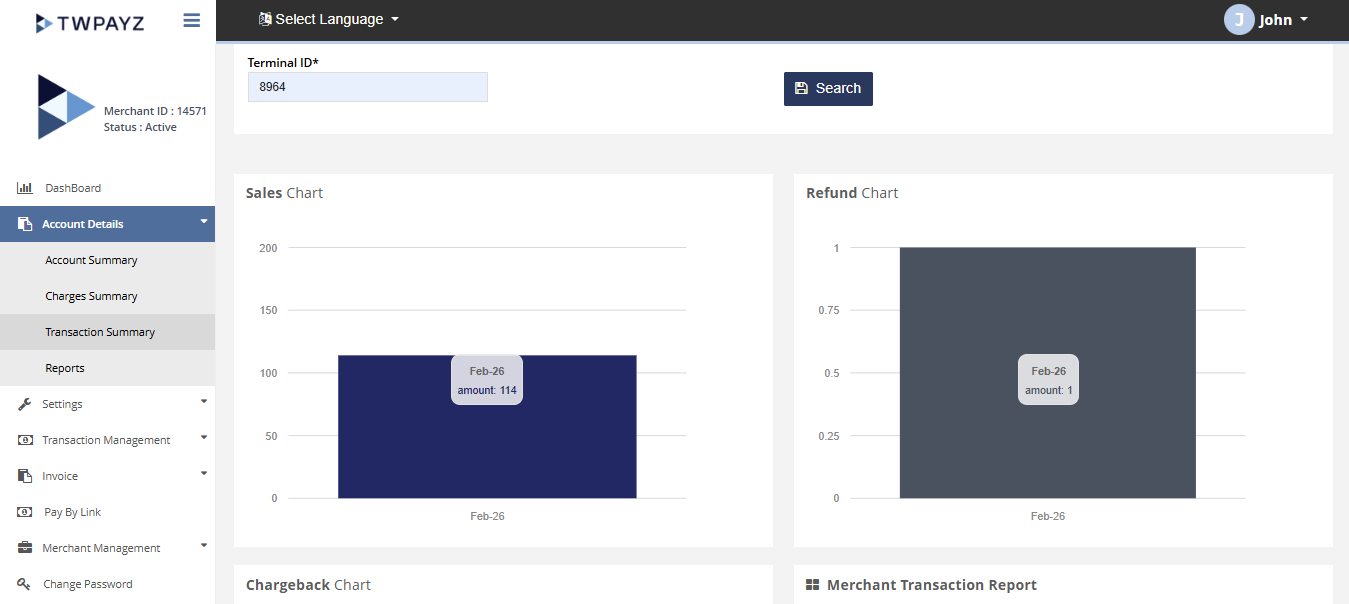
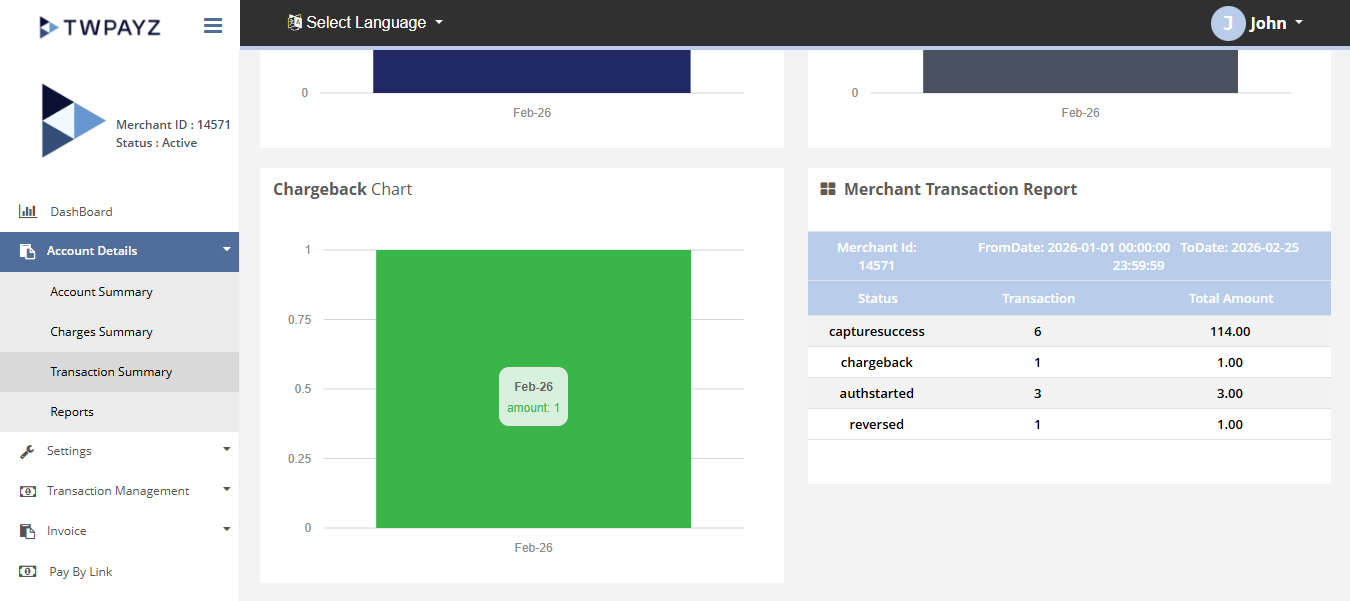
A visual summary of transaction activity over a selected date range and terminal, showing performance trends across sales, refunds, and chargebacks.
Search filters: From date, To date, Currency, Terminal ID (defaults to start of current month to today).
| Output | What it shows |
|---|---|
| Merchant Transaction Report | Tabular breakdown: count of approved, declined, refunded, and chargebacked transactions; total values per type for the period |
| Sales Chart | Visual of sales volume over the selected date range |
| Refund Chart | Refund activity and volume over the period |
| Chargeback Chart | Chargeback frequency over the period — flag for review if trend is upward |
Reports
Generate downloadable reports for a specific terminal and date range. Filter by: From date, To date, Terminal ID, and Is Paid status.
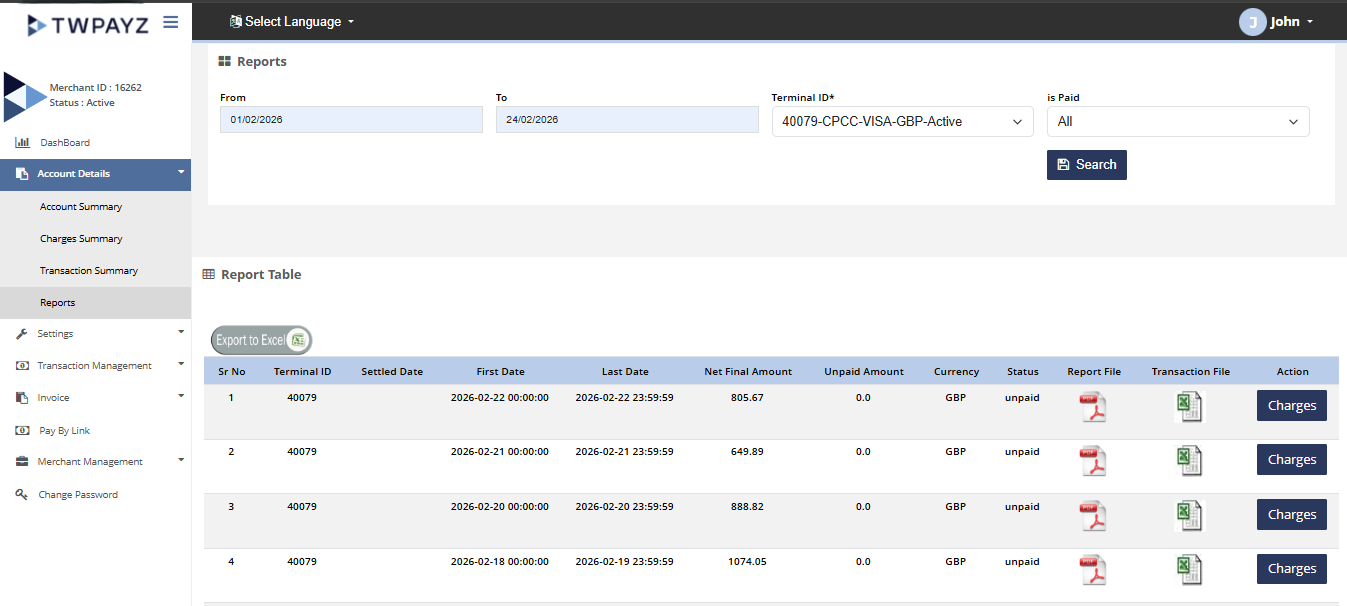
| Report | Format | Contents |
|---|---|---|
| Wire Report | Settlement wire details for the period: date, amount wired, destination bank account, wire reference. Use for bank reconciliation. | |
| List of Transactions | Excel (.xlsx) | Full transaction export for the period: all fields including date, Tracking ID, Order ID, card holder, card brand, amount, status, and terminal. Use for accounting and audit. |
Click the corresponding download icon next to any report row to generate and download the file. Downloads begin immediately.