Signing In
Getting into your TWPayz account
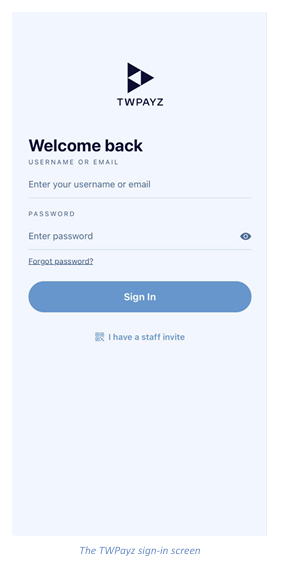
The sign-in screen is the first thing you see when you open TWPayz. There are two ways to get in, depending on whether you are the account owner or a staff member.
Merchant sign-in
- Enter your username or email in the first field.
- Enter your password. Tap the eye icon on the right to reveal what you have typed.
- Tap Sign In.
Forgotten your password?
Tap Forgot password? beneath the password field and follow the reset instructions sent to your registered email address.
Staff sign-in
If your manager has created a restricted profile for you, tap I have a staff invite at the bottom of the screen and scan the QR code you were given. Staff profiles are created by the account owner under Settings › Security.