Settings - Security
PIN, biometrics, staff and sessions
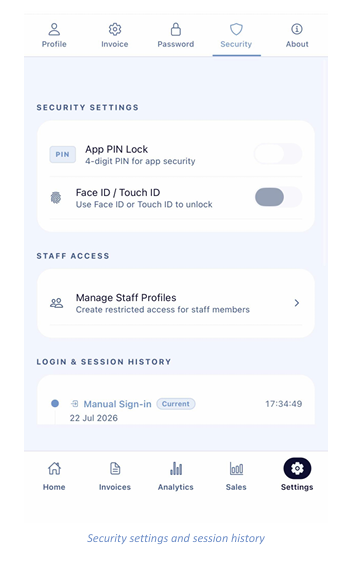
Security Settings
- App PIN Lock - switch on to require a 4-digit PIN each time the app is opened.
- Face ID / Touch ID - switch on to unlock with biometrics instead of typing your PIN.
Staff Access
Tap Manage Staff Profiles to create restricted logins for your team. Staff sign in using the invite option on the login screen.
Login & Session History
A timeline of recent sign-ins, each with its method, date and time. Your active session is tagged Current. Review this regularly — anything you do not recognise should be reported and your password changed immediately.
Note: Turn on both App PIN Lock and biometric unlock. Your phone then protects your takings even if the
device is lost or stolen.