Customising the Dashboard
Show only what matters to you
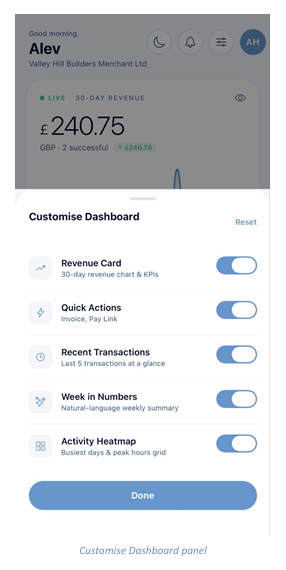
Tap the sliders icon in the Home header to open the Customise Dashboard panel. Each dashboard section has its own toggle — switch off anything you do not use and it disappears from Home.
Available widgets
- Revenue Card — the 30-day revenue chart and KPIs.
- Quick Actions — the Invoice and Pay Link shortcut tiles.
- Recent Transactions — your last five transactions at a glance.
- Week in Numbers — a plain-English weekly summary of your trading.
- Activity Heatmap — a grid showing your busiest days and peak hours.
Tap Done to apply your changes, or Reset in the top right to restore every widget to its default state.