Sign-Up
A merchant can choose from the following two options to sign up with TWPayz:
To register with TWPayz, submit the required details to the merchant signup endpoint: https://sandbox.twpayz.com/merchantServices/api/v1/merchantSignup
Provide the following information in your signup request:
- Username
- Password
- Confirm Password
- Organisation Name
- Site URL
- Country
- Support Number
- Contact Email Address
- Contact Person's Name
- Contact Telephone Number
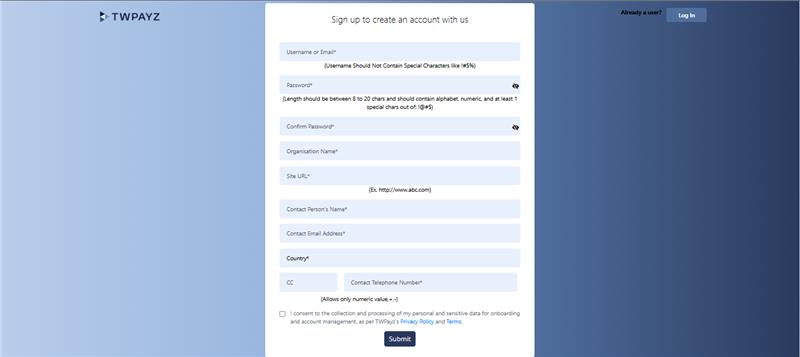
Once all required details are submitted successfully, your merchant account will be registered with TWPayz and you can proceed with the onboarding process.
You can also register directly through the TWPayz Merchant Portal by visiting: https://sandbox.twpayz.com/merchant/index.jsp.
On the login page, click the "Create an Account" button to access the merchant registration form.
The signup form requires the following information:
- Username
- Password
- Confirm Password
- Organisation Name
- Site URL
- Country
- Support Number
- Contact Email Address
- Contact Person's Name
- Contact Telephone Number