Account Details
This section provides comprehensive information about your merchant account and is organized into the following tabs for easy navigation and management:
Account Details > Account Summary
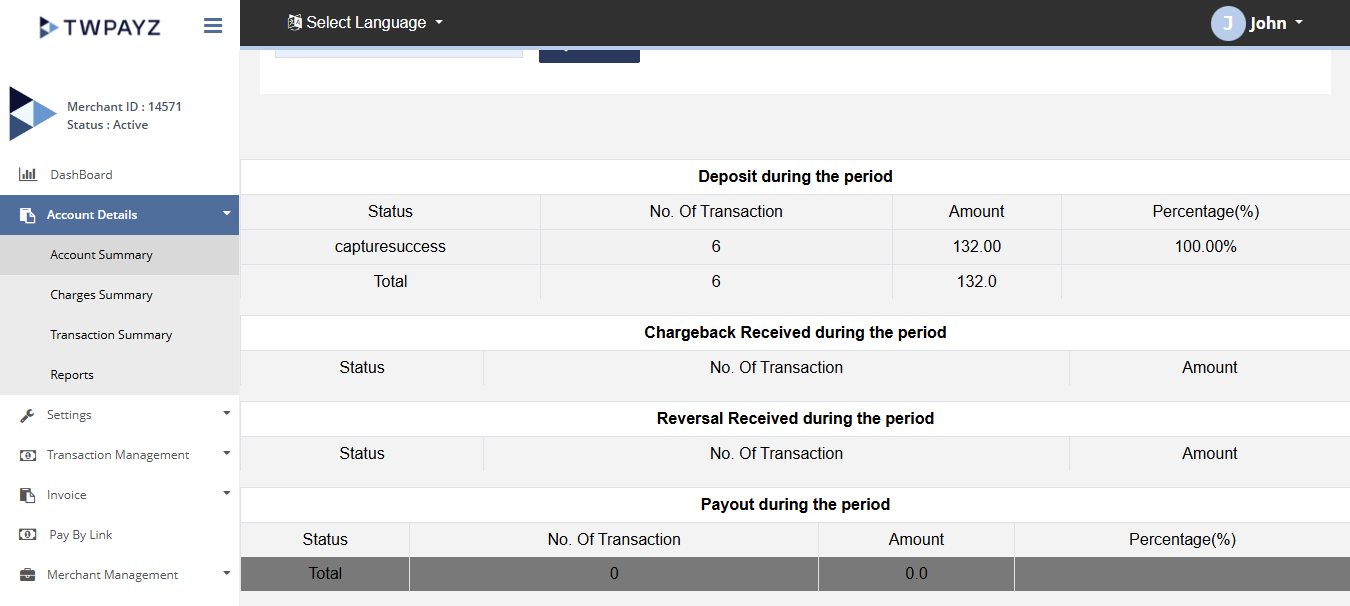
The Account Summary page provides a terminal-wise overview of your account information. It allows you to view account details and summaries for each terminal associated with your merchant account.
How to access page?
After logging in to the Merchant Backoffice, navigate to Account Details in the left-hand navigation menu and click Account Summary to access the page.
Search Criteria
You can search account summary on below criteria:
- Terminal ID
Result Details
You need to select the terminal for which summary details are required. Result consist of below details:
- Merchant Details
- Charges Details
- Generated Reserve Details
- Refunded Reserve Details
- Summary
Account details
Account Details > Charges Summary
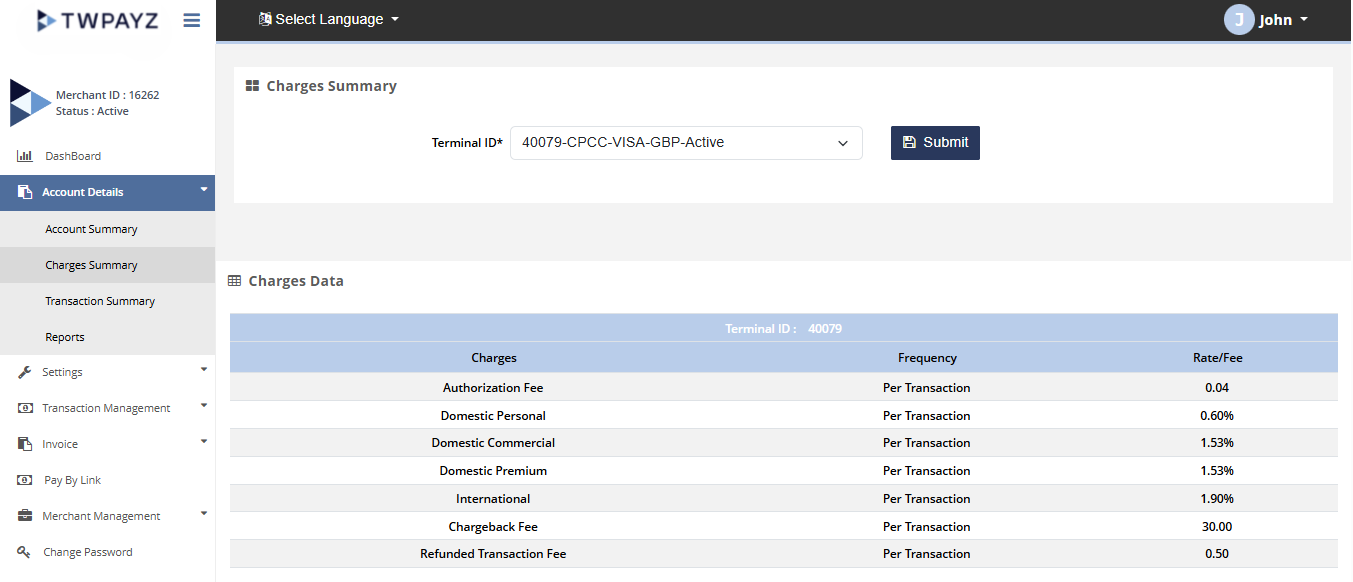
The Charges Summary page provides a terminal-wise overview of the charges associated with your merchant account. It allows you to review and monitor charges for each terminal individually.
How to access page?
After logging in to the Merchant Backoffice, navigate to Account Details in the left-hand navigation menu and click Charges Summary to access the page.
Search Criteria
You can search Charges summary on below criteria:
- Terminal ID
Result Details
After selecting a terminal, it will display below charges assigned to the same:
- MDR%
- Approval Fee
- Declined Fee
- Fraud Check Fee
- Reversal Fee
- Chargeback Fee
- Set Up Fee
- Annual Fee
- ReserveGenerated%
- ReserveRefunded%
- Wire Fee
Charges summary
Account Details > Transaction Summary
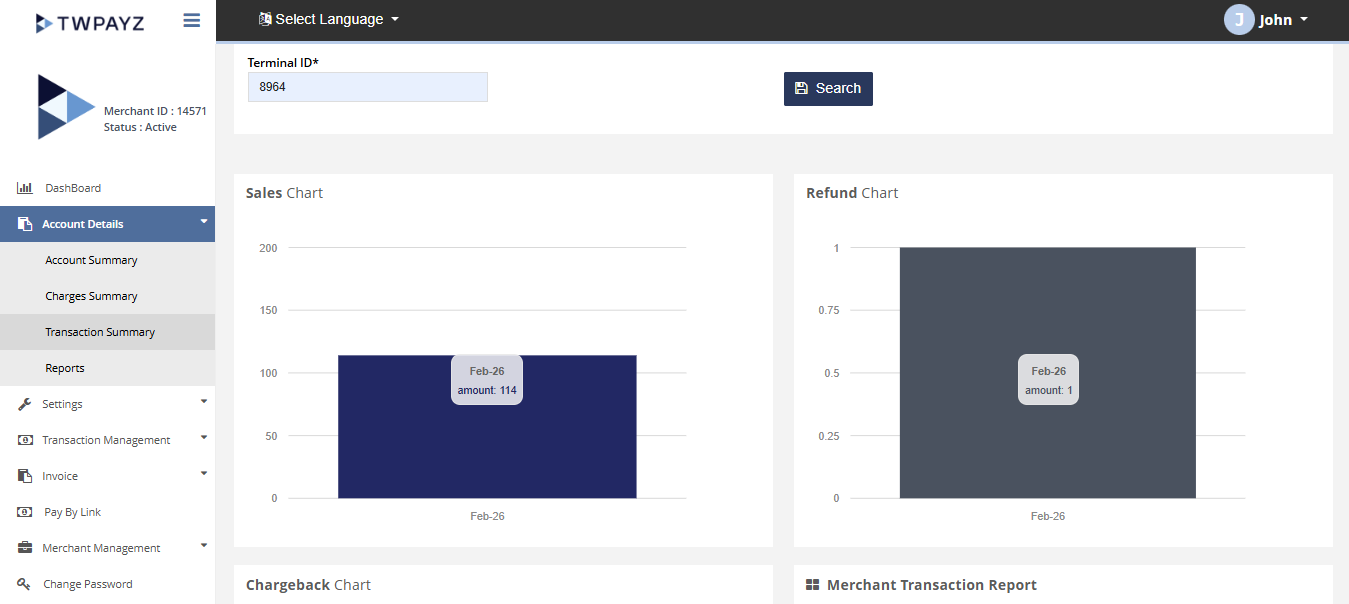
The Transaction Summary page provides a terminal-wise overview of transaction activity associated with your merchant account. It enables you to review transaction statistics and performance for each terminal.
How to access page?
After logging in to the Merchant Backoffice, navigate to Account Details in the left-hand navigation menu and click Transaction Summary to access the page.
Search criteria
You can search transaction details on below parameters:
- From date
- To date
- Currency
- Terminal ID
Result details
Search filter gives the following information:
- - Merchant Transaction Report
- - Sales Chart
- - Refund Chart
- - Chargeback Chart
Transaction summary
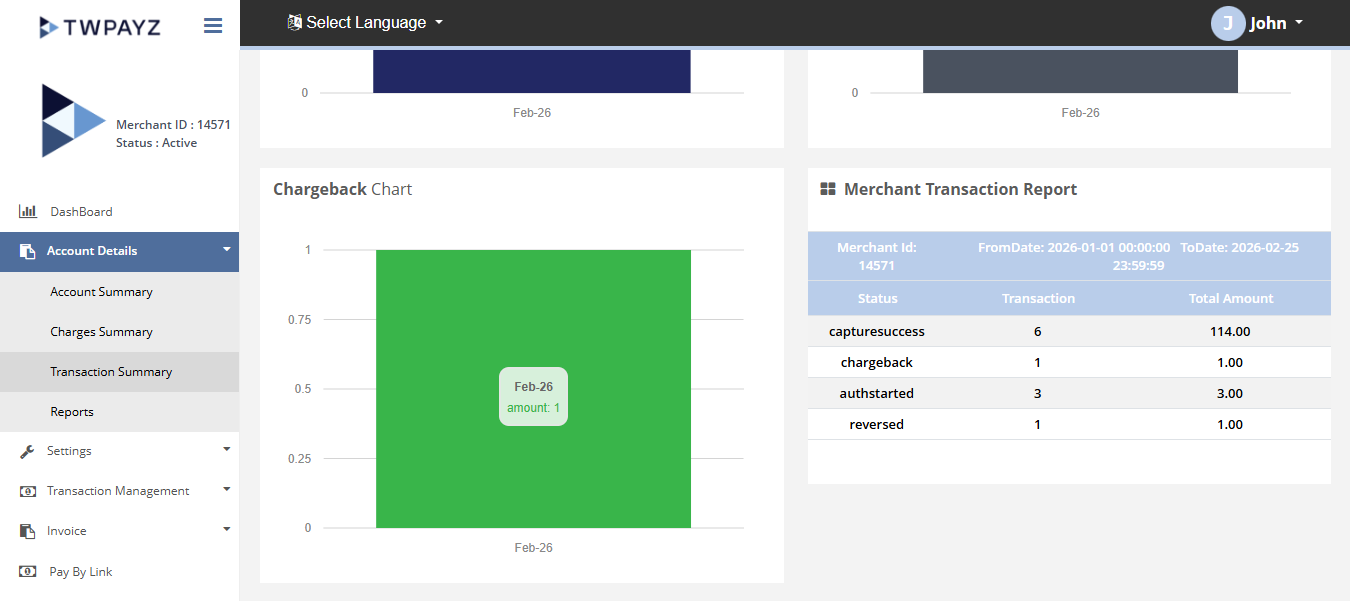
Transaction summary
Account Details > Reports
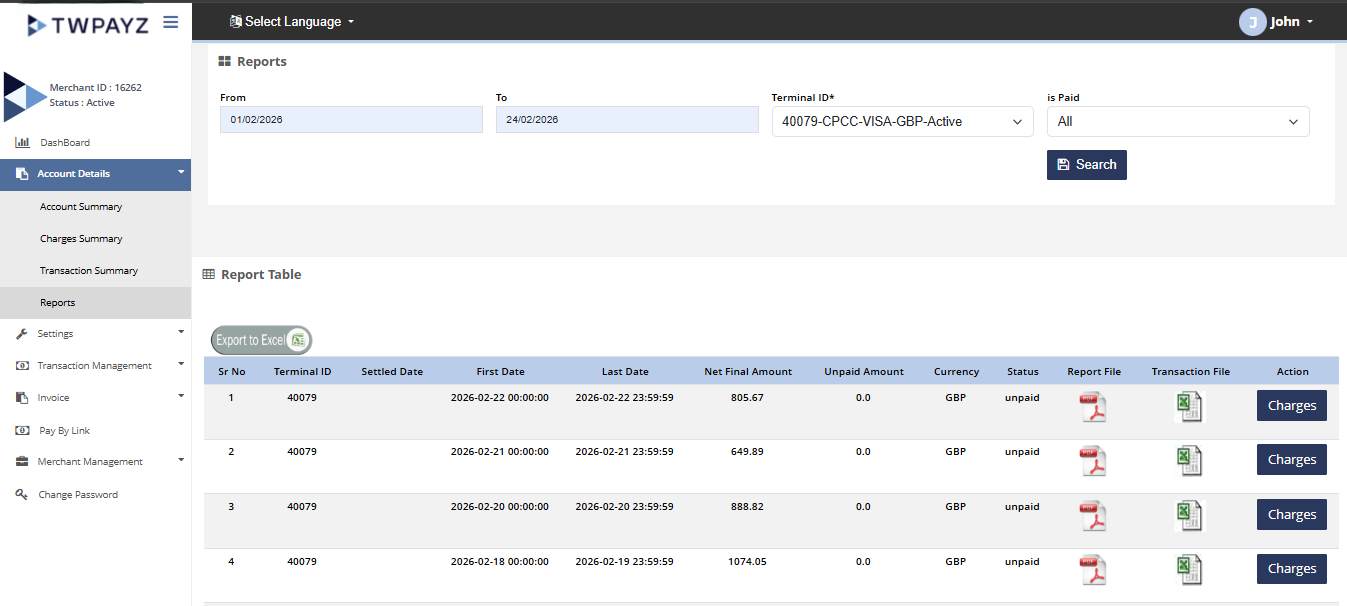
The Reports page allows you to generate and review terminal-wise reports for a selected date range. You can use these reports to analyze transaction activity and monitor account performance over specific periods.
How to access page?
After logging in to the Merchant Backoffice, navigate to Account Details in the left-hand navigation menu and click Reports to access the page.
Search criteria
You can search reports on below criteria:
- From date
- To date
- Terminal ID
- is paid
Result details
The report results include detailed charge information for the selected terminal and date range. You can also download the following reports using the corresponding file icons:
- Wire Report – Available in PDF format.
- List of Transactions – Available in Excel format.
Click the respective download icon to generate and download the desired report.